WhatsApp vote link scam: how accounts get hijacked
2026-08-29 · 8 min de leitura · Camila Torres
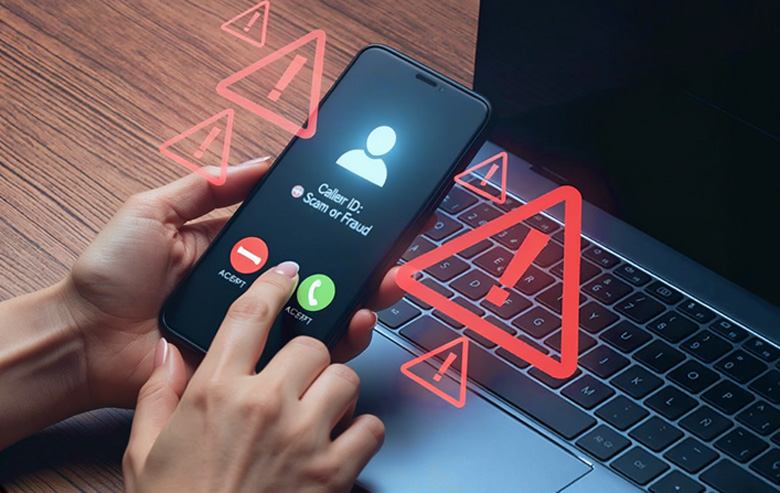
You get a message from a contact asking for a small favor: tap a link and vote for their daughter in a contest. It seems harmless — thirty seconds, and you're helping a friend. But in August 2026, that request became the vector for a global WhatsApp account-hijacking campaign — and it works through a feature you've probably never opened: linked devices.
Security companies such as InfoSecurity, Malwarebytes, and Kaspersky have issued alerts about the current wave, and official incident-response centers — including Switzerland's NCSC — have already documented the fake contest scam. The good news: spotting it and reversing it is easier than it sounds, and this article walks you through the full process, step by step.
Why this scam is everywhere right now
The vote link scam isn't new in essence, but it gained momentum in 2026 by combining three factors: the trust we place in messages from known contacts, the emotional pull of "helping someone win," and a WhatsApp feature almost no one monitors. The current campaign, documented by multiple independent sources, exploits exactly that combination.
Switzerland's NCSC advisory describes the pattern: messages about contests and prizes that direct people to fake login sites. When the victim "signs in" to cast a vote, they're actually handing over access to their account. And the next step, in many cases, is the scammer messaging the victim's contacts for money while posing as them.
The scam doesn't need to break any system. It needs you to click, sign in, and not think twice.
How the vote link scam works
It starts with a compromised contact: a friend's or relative's account has already been taken over, and the scammer uses their contact list to spread the link. The message asks for a vote, usually with an urgent or pleading tone — "my daughter is in 2nd place, so close!".
The link leads to a page that mimics the WhatsApp login. The victim types in their number and code, thinking they're voting. At that moment, the fake site uses those credentials to link the scammer's device to the victim's account — that's the linked devices feature, the same one used for WhatsApp Web and WhatsApp Desktop.
- A compromised contact sends the link. The message comes from someone on your list, which lowers your guard.
- The fake site mimics the WhatsApp login. Convincing visuals, with the promise of a vote.
- You enter your number and code. The scammer captures the credentials in real time.
- The scammer's device gets linked to your account. They can read your conversations without you noticing.
- The scammer acts as you. They ask your contacts for money or exploit the data they've read.
What makes this scam dangerous: linking a new device triggers a notification in WhatsApp — but the alert shows up on your phone and, buried among notifications, plenty of people ignore it. And when the extra device shows up as a generic "computer," it's easy to miss.
What are linked devices
Linked devices are devices that use your WhatsApp account besides your main phone: WhatsApp Web in a browser, the desktop app, or an extra phone. You manage all of them in one place: Settings → Linked devices.
The feature is legitimate and useful — it's how you use WhatsApp on your computer. But it's also the scammers' preferred entry point in this campaign: instead of swapping your SIM card or stealing your 6-digit code, they link their device to your account and operate in parallel without logging you out.
If a device you don't recognize is linked to your account, the scammer is already in — even while your phone works normally.
How to spot a strange device linked to your account
The check takes less than a minute and should become a monthly habit. In WhatsApp, open Settings → Linked devices. You'll see the list of everything connected to your account, with the device type, approximate location, and last time it was used.
- Go through every item on the list. If you only use your phone, you should see just your device (and maybe the WhatsApp Web/Desktop you've opened).
- Be suspicious of devices you don't remember authorizing. A "computer" in another city is a strong red flag.
- Check the location and the time. WhatsApp shows those details for each linked device.
- Repeat the habit monthly. It's the same care as reviewing the apps connected to your Google or Apple account.
If you find an unknown device, don't panic: the next step fixes it.
I clicked the link: what to do now (recovery in minutes)
If you fell for the scam, time matters — but the process is simple, and WhatsApp was designed so you can take back control. Follow this order:
- Remove the unknown device. In Settings → Linked devices, tap the suspicious device and "Log out." That disconnects the scammer right away.
- Change your two-step verification PIN. If you didn't have 2SV on, turn it on now with a PIN only you know.
- Turn on Account Lockdown Settings. This feature blocks transferring your account to another device without confirmation — we cover it fully in the Account Lockdown Settings guide.
- Warn your contacts. Message your groups and close contacts saying your account was compromised and that any request for money didn't come from you.
- Review recent messages. Check whether the scammer already talked to anyone using your account and warn those people specifically.
This flow works in most cases because the scam depends on the extra device staying linked. Once the device is removed, the scammer's access drops — and your main phone stays intact.
The people who recover their account in minutes aren't the ones who know the most tech. They're the ones who know where to look.
How to protect yourself before the scam reaches you
Prevention combines simple habits with the security layers WhatsApp offers. None is bulletproof alone; together, they make account hijacking much harder.
- Turn on two-step verification. A 6-digit PIN WhatsApp asks for periodically. Without it, a scammer who steals your credentials still hits a wall.
- Turn on Account Lockdown Settings. Meta's newest feature against unauthorized account transfers.
- Be wary of links in messages, even from contacts. If the ask is "vote here," confirm through another channel (a call or another social network) before clicking.
- Check suspicious numbers before interacting. If the message came from an unknown number, a quick lookup prevents that first click.
- Review linked devices monthly. One minute a month catches the problem early, while the damage is still small.
Frequently asked questions
What are linked devices on WhatsApp?
They're devices that use your account besides your main phone — like WhatsApp Web in a browser or the desktop app. You manage everything in Settings → Linked devices, where you can see and disconnect any device.
How do I know if someone linked my WhatsApp to another device?
Open Settings → Linked devices and check the list. A device you don't recognize, with a strange location or time, is a sign of unauthorized access. If you find one, tap it and "Log out" to disconnect it right away.
I clicked a vote link. Now what?
Go straight to Settings → Linked devices, remove any unknown device, turn on two-step verification and Account Lockdown Settings, and warn your contacts. The process takes minutes and resolves most cases.
Is every vote link on WhatsApp a scam?
No. The problem isn't voting — it's signing in on the wrong site: the scam leads to a fake page that mimics the WhatsApp login. The practical rule: no legitimate contest asks for your WhatsApp number and code. If a site asks for them, it's a scam.
What is the WhatsApp vote link scam?
It's an account-hijacking campaign active in 2026: a compromised contact sends a "vote" or "contest" link, the victim signs in on a fake login site, and the scammer links their own device to the victim's account, acting as them from then on.
How do I recover my WhatsApp account after a scam?
Remove the unknown device in Linked devices, re-enable two-step verification, turn on Account Lockdown Settings, and warn the affected contacts. If you've lost access entirely, WhatsApp offers a recovery flow through the official Help Center.
Before you click, check the number
See if the number that sent the vote link has already been reported by other users. Free, anonymous, and 100% private.
Check Number