Message Formatter: how to connect and convert on WhatsApp and Instagram
2026-06-09 · 5 min de leitura · Bruno Vieira
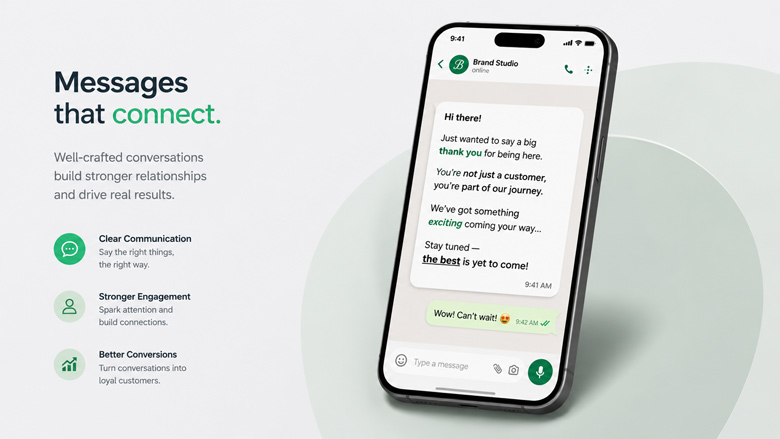
Ever opened a chat only to be confronted by a massive, unstructured wall of text? Most people's gut reaction is to close the message or ignore its details. How you format and structure your writing decides whether your message gets read or thrown in the digital bin. Using a message formatter is the easiest way to make your texts instantly readable and engaging.
Visual formatting isn't just about making things look pretty, it's about psychology. Learning how to bold text in whatsapp, highlighting prices, or using distinct headlines is all about reducing the reader's cognitive load. By organizing your thoughts visually, you make it effortless for customers to digest information and build a professional relationship with them.
How visual formatting connects you with customers
Modern communication demands speed and clarity. Your users, and their customers, receive dozens of notifications hourly. To make an impact, your copy must be highly scannable. An effective message should allow the reader to grasp the core points in a single glance:
- The core offer or primary reason for reaching out (highlighted in bold);
- Crucial dates, deadlines, or times that require immediate attention;
- A clear discount or price reduction using a strikethrough text (a proven pricing anchor);
- A compelling Call to Action (CTA) telling the customer exactly what to do next.
By executing these simple structure changes, you prevent misunderstandings, speed up response times, and greatly increase conversion and reply rates.
Key Features of the ZapToMe Message Formatter
ZapToMe has built a complete, private, and 100% free web-based **message formatter** to help you level up your business communication. With no sign-up or installation required, it gives you immediate access to these core tools:
- Automatic Native Styles: Apply bold (*text*), italic (_text_), strikethrough (~text~), and monospace (`text`) instantly without typing syntax tags.
- Unicode Fancy Text Generator: Go beyond native limitations and transform headings into stylish Unicode fonts like 𝖦𝗈𝗍𝗂𝖼, 𝑩𝒐𝒍𝒅-𝑺𝒆𝒓𝒊𝒇, or underlined styles that copy and paste anywhere.
- Real-time Preview Simulator: A dynamic chat bubble simulates exactly how your formatted message will look on a smartphone screen.
- Sales-focused Quick Styles: Apply clean layout templates tailored for price lists and promotions with one click.
- Standard Keyboard Shortcuts: Speed up your workflow using Ctrl+B (bold) or Ctrl+I (italic) directly inside our text editor.
Formatting for WhatsApp vs. Instagram Bio Fonts
A common dilemma for creators and business owners is expanding these text styles to other platforms. While WhatsApp recognizes Markdown characters (like asterisks for bold), other networks like Instagram, TikTok, and Twitter do not display them in bios or photo captions.
To solve this, the **Fancy Fonts** tab on ZapToMe's tool acts as a whatsapp font changer and fancy text generator using Unicode characters. These aren't style rules; they are unique symbols recognized globally across the web. This makes it the perfect tool to generate instagram bio fonts and craft eye-catching social profiles.
Step-by-Step Guide: How to format your messages
- Go to the ZapToMe Message Formatter.
- Type or paste your message in the main editing field.
- Select the words you want to style and click the formatting buttons (Bold, Italic, etc.) or use shortcuts.
- Switch to the 'Fancy fonts' tab if you want to customize text styles for social media bios.
- Preview your message in the live smartphone simulator bubble to check the layout.
- Click Copy Formatted Message and paste it directly into your chat or social post!
Your written copy is the digital face of your business. Replacing cluttered walls of text with clean, visually structured messages shows professionalism and respects your customer's time. Try the ZapToMe formatter today.
Elevate Your Messages Now
Transform your text with bold, italic, and unique decorative fonts. Increase readability and charm your customers with ZapToMe.
Go to Message Formatter